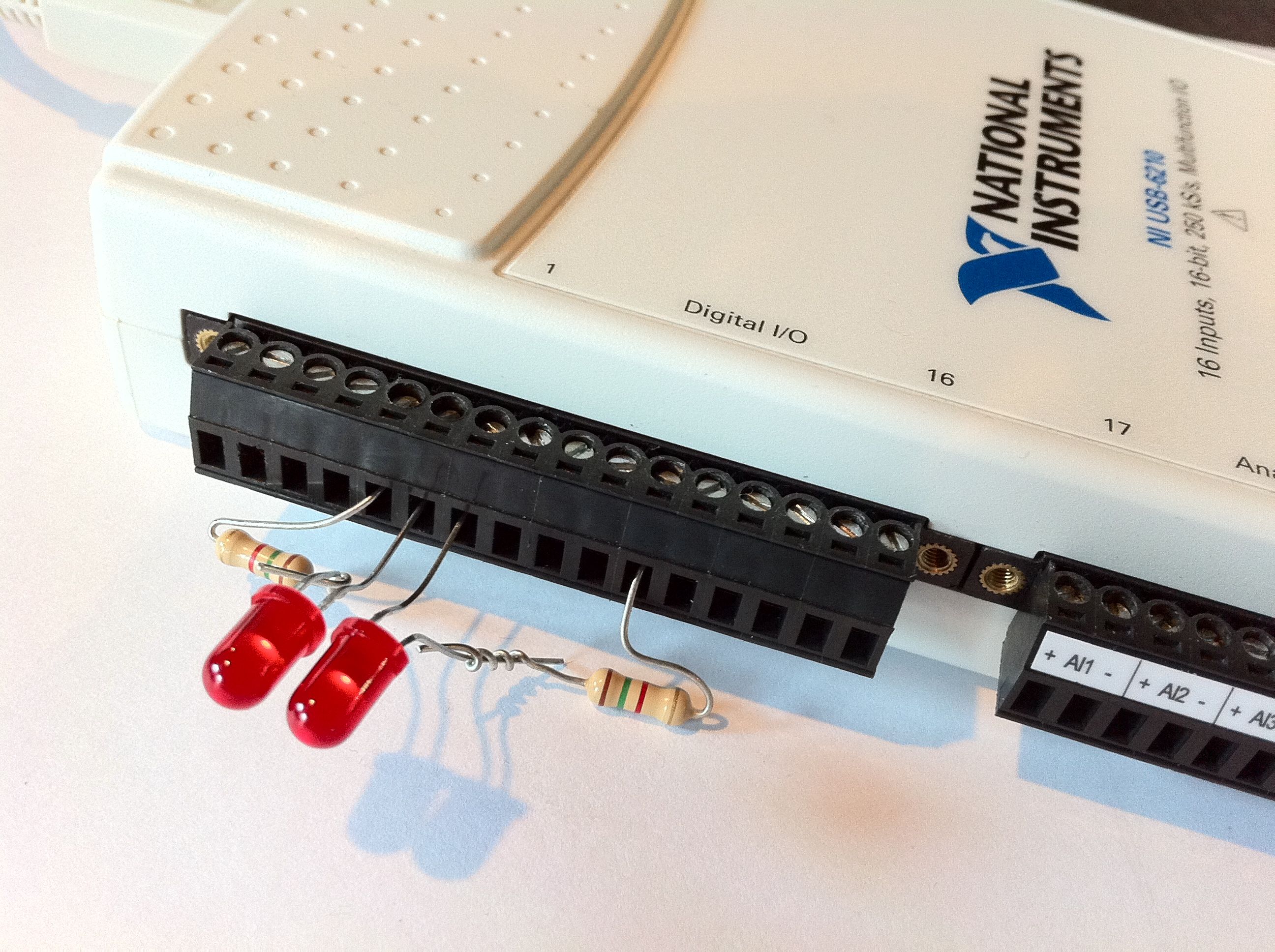
I have wanted to control my automation machines from my iPhone for a while, but have not had the time and tools in order to do it. This past week everything aligned and I was able to make a first pass at an iPhone HMI (Human Machine Interface). In particular the two things that aligned were my recent experience with PHP and MySQL and my new LabVIEW assignment. With these three pieces of software I was able to create a dynamic webpage that interacted with the LabVIEW hardware I had setup.
LabVIEW has been one of my fortes for sometime, but recently I have been programming in other languages and had not installed LabVIEW. With my new assignement I got to update my LabVIEW installation and have an excuse to be spending a few moments at work experimenting. A year or two back I had briefly looked at the LabVIEW webserver and quickly rejected it because it was powered by some proprietary Microsoft stuff that I didn't think made sense to hack. Even though the LabVIEW webserver was archaic the database interfaces are still up to date. LabVIEW had a nice set of vi's for querying a MySQL database. I setup my program to query the status of some booleans and integers in a MySQL database and to display the values on a front end. A pretty elementary setup, but it will work for my proof of concept.
I have been flirting with PHP and MySQL since High School, but had not taken the time to get to know them until this year. Drupal has inspired me with its flexibility and has me daydreaming about how I could write my own modules that would bring Drupal into the factory automation and SCADA space. I have diligently been studying PHP and MySQL so that soon I will be able to write an open source SCADA system. A natural first step for me was to setup communication between Drupal and a simple machine. In this case a LabVIEW machine that only blinks a pair of lights and displays a bar graph. The biggest challenge here was getting Drupal to elegently open a new database connection, query it and then gracefully close and return. There was nice tutorial on using multiple databases with Drupal that got me started. (How to connect to multiple databases within Drupal) I created a basic PHP page with form elements for the booleans and the integer and updated the MySQL database whenever the forms were updated. The page would also load the current state when it was refreshed so that the switches were in the same state as the physical machine, in this case the Red LEDs.

Figure: iPhone HMI for Simple Automation Machine

Figure: The two red LEDs connected to the National Instruments USB-6210. The LEDs turn on and off in response to the operations performed on the iPhone HMI webpage.